herdr, on my phone
I built an unofficial Android client for herdr, the tool I run my coding agents in. Why I wanted the desktop app on my phone, what it took to build it, and what I use it for every day.
I run a handful of coding agents at the same time, most days, and for the past few months herdr, a terminal app (a TUI) built for exactly that, has been how I keep track of them. Before herdr it was tmux and zellij, both great, and with enough plugins and tweaking you get most of the way there, agent integrations, sessions that come back where they left off after a restart. What I never got out of a plain multiplexer was the live part, and that’s what herdr gave me. One view of everything that’s going on, which agent is blocked, which is done, which ones are waiting for me and which I should just leave alone. That turned out to be the bit that matters most, and it worked the same on every device I had, because it was just SSH and a terminal.
Then herdr announced herdr-core, a new engine, with a desktop app on top of it. (I thought I’d read somewhere that they weren’t going to build an app, so that was a nice surprise.) I installed the Mac app on 31 October, about a week after its first release, moved all my sessions over, and it worked great. It still feels like a terminal, just less brute, and I say that as someone who never minded brute.
My first thought was a pretty obvious one. If there’s an app on the desktop, is there one for my phone?
The gap on the phone
There wasn’t one I could use. One Android client still spoke the old protocol and sent its alerts through Google, another was iOS only, the rest were web apps.
The old way didn’t carry over either. With the herdr TUI I’d SSH in from Termux and get the same interface I had at my desk. herdr-core has no terminal interface of its own, the app is the interface, so from Termux all I had was a set of commands to learn and one terminal at a time. I didn’t really want to learn them.
I’d been splitting the job in two for a while anyway. Termux to start sessions and move things around, and the Claude app to actually read what the agents wrote. A terminal on a phone is perfectly readable, it’s just small, and when I’m walking somewhere, text with proper headers and a code block I can copy with one tap is easier on the eyes.
So that same day I wrote a spec for an Android client. It also looked like the perfect excuse to find out how building an app works.
Three reviewers said chat first
Before building anything I had three reviewer agents go over the spec. Their advice was to reorder it: the agent list first, then a text view with a message box so you can answer an agent quickly, and the live terminal last.
I said no to the message box. What I wrote back was basically “I don’t think I want a message-app interface to type messages to my agents, just the native terminal rendering and keyboard experience”. herdr is a terminal-first tool, that’s its identity, and what I wanted was the desktop app’s equal on a phone, so it works the same everywhere. Building a temporary way to type and replacing it later also just sounded like doing the work twice.
They were right about something else. The riskiest parts were scheduled last, so those moved to day one: can the terminal engine keep up on a phone, can the SSH key live in the phone’s secure hardware and never leave it, do encrypted alerts arrive when the app is closed. All three passed on 1 November.
Two days later I measured the real thing on my own phone. 1,204 frames, 95% of them drawn within 14 milliseconds, and tapping an agent shows its last screen in 66 ms where the spec allowed 200. You only get numbers like that from the optimised build, the debug build needs about 400 ms a frame.
Using it changed the keyboard more than the review did. Enter sat on a shelf you swipe up, and I never found it. In my own app. It’s in the main row now, and Ctrl+C moved away from the arrow keys, because a slip next to an arrow shouldn’t stop an agent.
What I use it for
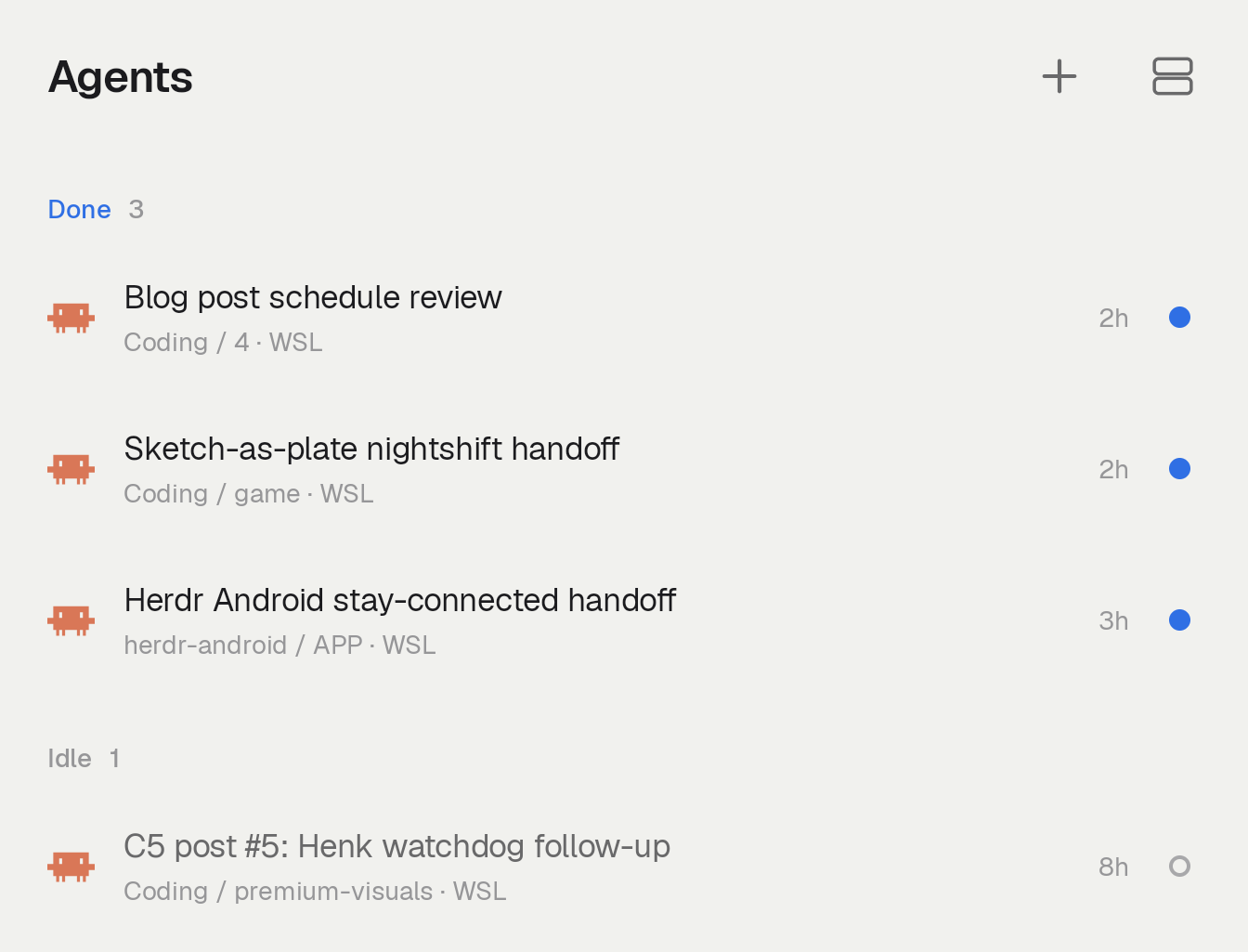
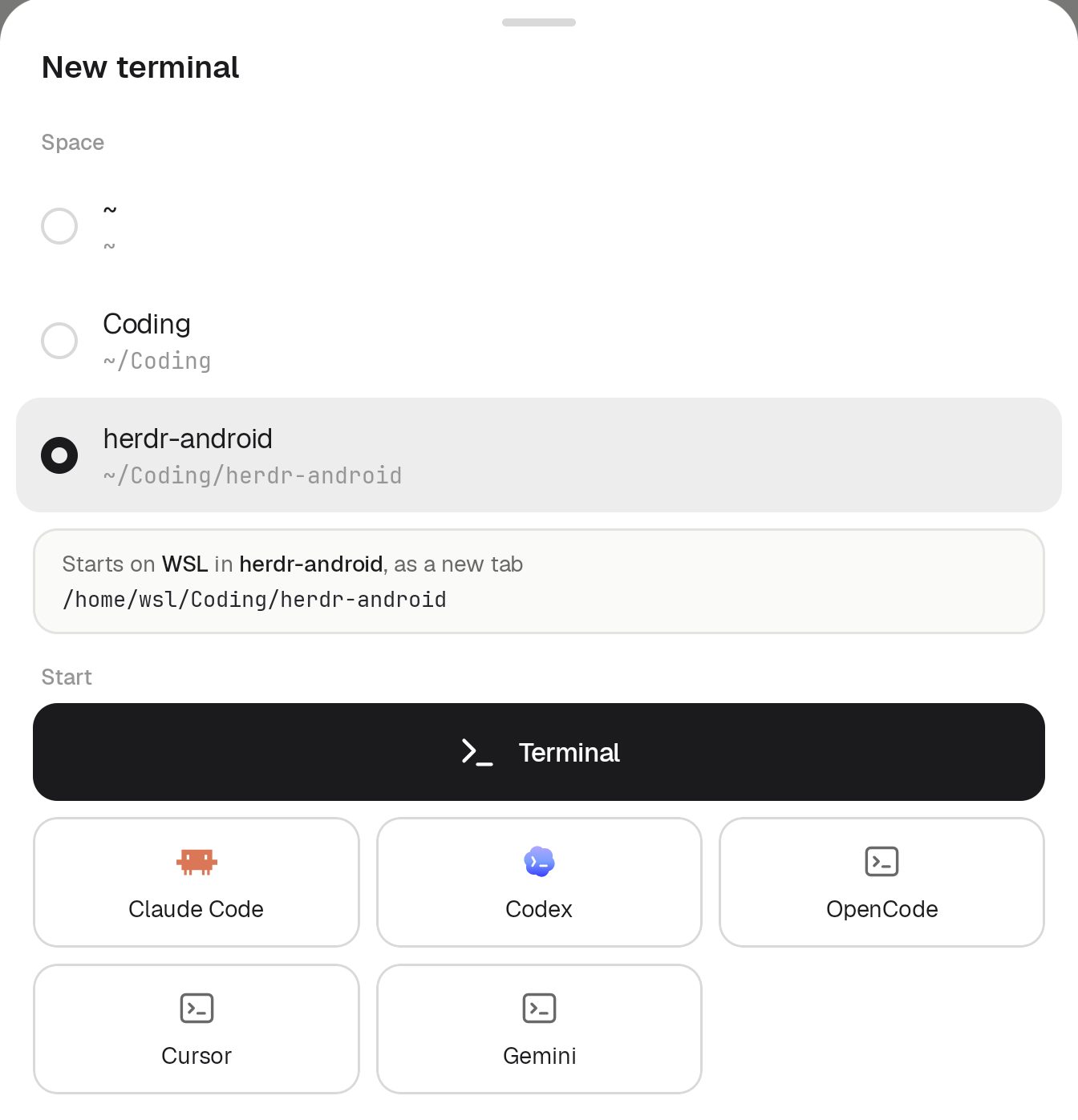
I open it every day, mostly for three things. A quick look at the list to see who needs me. Starting a new session from the phone, so it’s already running when I pick it up somewhere else, which saves me a trip to the desk just to set it up.
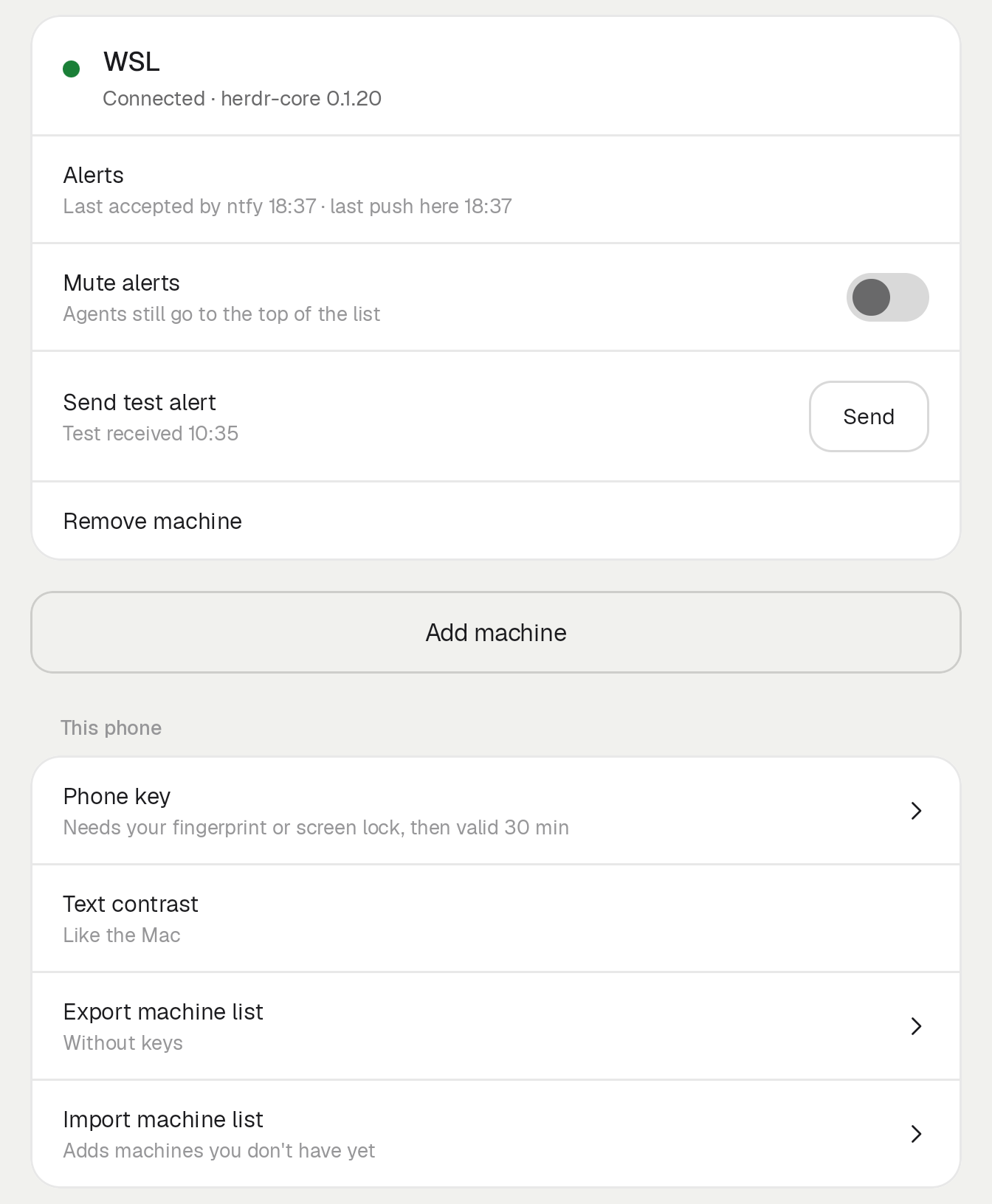
And the alerts. The app tells me when an agent has a question and also when a turn is simply finished. The Claude app only does the first, and “it’s done” is the one I want when I’ve walked away from the desk.
That last one is a big part of why I’d build this again. What reaches me, when, and whether it makes a sound is in my own hands now, the alerts go through my own ntfy server and if I want them to work differently I change them. I don’t have to wait for someone else to decide it’s worth building.
What it cost
About 150 commits over six working days, between 31 October and 8 November. The estimates up front were 80 to 150 hours from Claude and 150 to 250 from the reviewers. Going by the gaps between my own prompts it took somewhere between 15 and 30 hours of my attention, plus the time I spent poking at the phone, which nothing recorded.
Next is the thing I turned down
I still read most agent output in the Claude app. I love me a terminal, but I have to say that sometimes a native app just has advantages, it feels more refined and it’s smoother to use on a small screen.
So the next big thing I want is a reader view beside the terminal. Same agent, and you switch between the live terminal and its output as formatted text, hopefully with images as well. That’s close to what the reviewers asked for on day one. I still think the order was right, the terminal had to be there first or it wouldn’t be herdr. They weren’t wrong about what a phone is good at though, and I haven’t worked out yet whether that view belongs in this app or in something with its own name.
If you use herdr
This is an unofficial client. The herdr people don’t know it exists, the new herdr-core and app repositories have no discussion board, so I couldn’t ask them.
It’s on GitHub at enhulsman/herdr-android, Apache-2.0, currently v0.3.0. You need a phone on Android 12 or newer, herdr-core 0.1.15 or newer on a Linux or WSL machine the phone can reach over SSH, and for alerts your own ntfy server. No Google service is involved anywhere. It installs and updates through Obtainium.
It’s early, and as far as I know I’m the only one using it. If you try it, I’d love to hear what you couldn’t find.